
Use Blender from Anywhere with Chromaport
Access your Blender workstation remotely and continue modeling, sculpting, animating, or rendering from any laptop, tablet, or mobile device. Chromaport delivers a responsive 3D workflow with low-latency streaming.
Create 3D Projects from Anywhere
Continue modeling, sculpting, animating, and rendering remotely while your workstation handles the heavy processing.
Full 3D Workflow
Modeling, sculpting, animation, and rendering.
Low-Latency Control
Precise viewport navigation and real-time editing.
Tablet Support
Works with drawing tablets and stylus input.
Remote Access
Use Blender from anywhere without performance loss.
Start Creating in Minutes
Install Blender on Your PC
Download Blender on your workstation and set up your projects as usual.
Then open Chromaport and add Blender to your application library to enable remote access.


Launch and Work Remotely
Open Blender from Chromaport and select your PC. Your full 3D workspace is streamed instantly to your device.
- ✓ Real-time viewport streaming
- ✓ Full GPU rendering on your PC
- ✓ Responsive sculpting and modeling
- ✓ Works with all Blender features
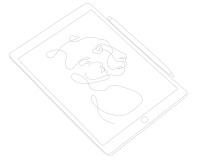
Create Naturally with Your Drawing Tablet
Chromaport delivers responsive pen input, making remote creative work feel natural whether you're sculpting, painting, retouching, or designing. Connect your tablet to the device you're using and keep working with your workstation from anywhere.
- ✓ Pressure-sensitive pen input
- ✓ Tilt support (device dependent)
- ✓ Responsive low-latency drawing
- ✓ Pen displays and pen tablets
- ✓ Custom shortcuts and express keys
Compatible with popular devices from:
GPU Rendering Without Taking Your Workstation Everywhere
Leave your powerful desktop at home or in the office and use it remotely through Chromaport. Your scenes, assets, add-ons, and GPU stay exactly where they are while you access Blender from virtually any device.
- ✓ Work on complex scenes from lightweight devices
- ✓ Use your workstation GPU for 3D rendering
- ✓ Keep models, assets, and add-ons on your workstation
- ✓ Access large scenes without transferring files
- ✓ Continue working while renders complete
Chromaport streams only the Blender interface while all processing happens on your workstation, allowing you to work from lightweight laptops, tablets, or other devices without sacrificing performance.

Share Creative Workspaces
Instead of sending project files back and forth, invite collaborators to the same creative workspace. Everyone works with the same applications, assets, and hardware while projects remain securely on the host workstation.
- ✓ Share individual workspaces securely
- ✓ Collaborate from different locations
- ✓ Keep projects on one workstation
- ✓ No large file transfers
- ✓ Perfect for studios, freelancers, and teams
Whether you're reviewing a Blender scene, helping with modeling, testing animations, or preparing assets for rendering, everyone works on the same workstation using the same files and tools.
A Full Blender Studio in Your Pocket
Work on complex 3D scenes, high-poly sculpting, and GPU-heavy renders without being tied to your workstation.
Sculpt Anywhere
Use stylus input with full precision support.
Render Remotely
Let your PC handle heavy Cycles rendering.
Edit in Real-Time
See updates instantly with low latency streaming.
Create in Blender Anywhere with Chromaport
Stream your full Blender workstation to any device and work on 3D projects without limits.