
How to Play Cyberpunk 2077
on Any Device
Using Chromaport
Explore Night City from your phone, tablet, laptop or TV. Chromaport streams Cyberpunk 2077 directly from your gaming PC, keeping your graphics settings, mods, saves and progress exactly where they belong.
Take Night City
With You
Turn your gaming PC into your personal Cyberpunk 2077 streaming setup. Continue missions, explore districts, and experience Night City from almost any device.
Any Device
Windows, macOS, Android, iOS - phones, tablets, laptops and TVs.
Touch Controls
Play Cyberpunk 2077 on mobile with customizable touch layouts.
Controller Support
Use Xbox, PlayStation and Bluetooth controllers.
Internet Streaming
Connect securely and play away from your main gaming setup.
Start Playing Cyberpunk 2077
in Minutes
Add Cyberpunk 2077 to Chromaport
Install Cyberpunk 2077 on your gaming PC through Steam, GOG, Epic Games Store, or another supported launcher.
Add the game to your Chromaport library once, then launch it remotely from any device connected to your account.


Launch and Play
Open Cyberpunk 2077 from your Apps library, choose your gaming PC, and Chromaport instantly starts streaming your existing installation.
- ✓ Runs on your gaming PC
- ✓ Streams gameplay with low latency
- ✓ Uses your saves and graphics settings
- ✓ Works across phones, tablets and computers
Custom Controls for Night City
Play Cyberpunk 2077 on phones and tablets with customizable touch controls designed for fast combat, driving and exploration.
- ✓ Customize combat buttons
- ✓ Place controls where you want
- ✓ Adjust button size and opacity
- ✓ Create layouts for different games
- ✓ Save your preferred setup automatically
Build your own mobile control layout for weapons, quick actions, vehicles and menus. Chromaport remembers your settings every time you launch Cyberpunk 2077.

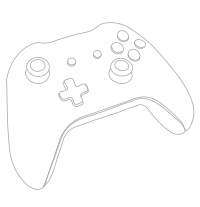
Console Controls Without a Console
Use your favorite controller and stream Cyberpunk 2077 directly from your gaming PC. Chromaport forwards your input with low latency for a responsive experience.
- ✓ Xbox Controllers
- ✓ Xbox Elite Controllers
- ✓ PlayStation DualSense
- ✓ PlayStation DualShock 4
- ✓ Bluetooth Controllers
- ✓ USB Gamepads
Experience Night City from your couch, another room, or anywhere away from your main gaming setup.
Stream Cyberpunk 2077 Beyond Your Home Network
Your gaming PC does the heavy processing while Chromaport securely connects your devices and streams Cyberpunk 2077 wherever you are.
Explore Anywhere
Continue your journey through Night City while traveling or away from your setup.
Your Save. Your Mods.
Keep your existing progress, settings, mods and installed content on your PC.
Secure Connection
Connect your devices without complicated network setup or VPN configuration.
Bring Night City With You
Turn your gaming PC into your personal Cyberpunk 2077 streaming setup. Explore Night City with low-latency gameplay, custom touch controls, controller support, and instant access from anywhere.