
How to Play Minecraft on Any Device
Using Chromaport
Continue building, mining, and exploring your Minecraft worlds from your phone, tablet, laptop, or TV. Chromaport streams Minecraft directly from your gaming PC, letting you play virtually anywhere.
Take Your Minecraft World Anywhere
Turn your gaming PC into your own Minecraft streaming server and continue your adventure from virtually any device.
Any Device
Play on Windows, Android, macOS, iOS phones, tablets, laptops, and TVs.
Custom Touch Controls
Create the perfect mobile controls for building and survival.
Gamepad Ready
Play with Xbox, PlayStation and Bluetooth controllers.
Remote Streaming
Access your PC securely without VPN or network setup.
Start Playing Minecraft in Minutes
Add Minecraft to Chromaport
Install Minecraft on your gaming PC using the Minecraft Launcher, Microsoft Store, or another supported launcher.
Then open Chromaport and add Minecraft to your application library. Once added, it can be launched instantly from every device connected to your account.


Launch Your World
Open the Apps view, select Minecraft, and choose the computer where the game is installed. Chromaport launches Minecraft automatically and starts streaming it to your device in seconds.
- ✓ Runs on your gaming PC
- ✓ Streams video and audio in real time
- ✓ Sends your inputs with low latency
- ✓ Uses your existing worlds, mods, and settings
Custom Touch Controls for Minecraft
Build, mine, craft, and explore comfortably on your phone or tablet with fully customizable touch controls.
- ✓ Move every button wherever you want
- ✓ Resize controls for better comfort
- ✓ Add only the actions you use
- ✓ Create separate layouts for Creative or Survival
- ✓ Saved automatically for every game
Whether you're building massive structures, exploring caves, or fighting mobs, you can create a control layout that matches your playstyle. Chromaport remembers it every time you launch Minecraft.

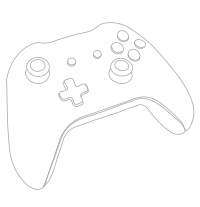
Play Minecraft with a Controller
Prefer playing with a gamepad? Chromaport supports Xbox, PlayStation, Bluetooth, and USB controllers, giving you a comfortable console-like experience while streaming Minecraft.
- ✓ Xbox Wireless Controllers
- ✓ Xbox Elite Controllers
- ✓ PlayStation DualSense
- ✓ PlayStation DualShock 4
- ✓ Bluetooth Controllers
- ✓ USB Gamepads
Connect your controller to the device you're using and continue exploring, building, or playing with friends from virtually anywhere.
Access Your Minecraft World from Anywhere
Your gaming PC doesn't have to be on the same network. Chromaport securely connects your devices over the internet, so you can continue playing Minecraft wherever you are.
Your Worlds
Access your existing worlds, resource packs, shaders, and mods without copying files.
Multiplayer Ready
Join your favorite multiplayer servers or Realms exactly as you would from your gaming PC.
Secure Connection
No VPNs, port forwarding, or complicated network configuration required.
Take Minecraft Everywhere with Chromaport
Stream Minecraft from your gaming PC to virtually any device. Build, explore, and play with low-latency streaming, customizable touch controls, controller support, and instant access wherever you go.