
How to Play Path of Exile 2 on Any Device Using Chromaport
Play Path of Exile 2 on your phone, tablet, laptop, or TV. Chromaport streams Path of Exile 2 directly from your gaming PC, so you can continue mapping, farming, and leveling from anywhere.
Play Path of Exile 2 Anywhere
Turn your gaming PC into your personal Path of Exile 2 streaming server and continue your adventure from virtually any device.
Any Device
Windows, Android, macOS, iOS - PCs, phones, tablets, TVs.
Touch Controls
Play Path of Exile 2 on mobile with fully customizable touch controls.
Controller Support
Play using Xbox, PlayStation, or Bluetooth controllers.
Internet Streaming
Connect securely over the internet without VPNs or complicated setup.
Start Playing Path of Exile 2 in Minutes
Add Path of Exile 2 to Chromaport
Install Path of Exile 2 on your gaming PC through Steam, Epic Games or the standalone Path of Exile launcher.
Then open Chromaport and add the game to your application library. Once added, Path of Exile 2 can be launched and streamed from any device connected to your Chromaport account.


Launch and Stream
Open the Apps view, select Path of Exile 2, and choose the computer where the game is installed. Chromaport automatically launches the game and begins streaming it to your device.
- ✓ Runs on your gaming PC
- ✓ Streams video and audio in real time
- ✓ Sends your controls with low latency
- ✓ Uses your existing characters, settings, and progress
Custom Touch Controls
Play Path of Exile 2 comfortably on phones and tablets with fully customizable touch controls.
- ✓ Move buttons anywhere
- ✓ Resize controls
- ✓ Add or remove actions
- ✓ Create layouts for different characters
- ✓ Automatically save profiles for every game
Whether you're playing a ranged build, melee character, or summoner, you can create a touch layout that fits your playstyle. Chromaport remembers your configuration every time you launch the game.

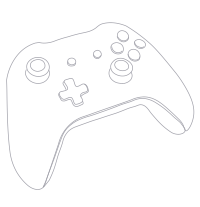
Full Controller Support
Path of Exile 2 includes native controller support, and Chromaport forwards controller input directly to your gaming PC for a smooth remote gaming experience.
- ✓ Xbox Controllers
- ✓ Xbox Elite Controllers
- ✓ PlayStation DualSense
- ✓ PlayStation DualShock 4
- ✓ Bluetooth Controllers
- ✓ USB Gamepads
Enjoy Path of Exile 2 from your couch, another room, or anywhere in the world with the controller you're already comfortable using.
Play Path of Exile 2 Over the Internet
Your gaming PC doesn't need to be on the same network as your device. Chromaport securely connects your devices and lets you stream Path of Exile 2 from virtually anywhere.
Anywhere Access
Continue mapping and farming while you're away from home.
Your Characters
Access all of your characters, settings, and progression instantly.
No VPN
Connect securely without complicated network configuration.
Play Path of Exile 2 Anywhere with Chromaport
Stream Path of Exile 2 from your gaming PC to virtually any device. Enjoy low-latency gameplay, customizable touch controls, controller support, and secure internet streaming wherever you are.