
How to Stream The Witcher 3 to Any Device with Chromaport
Play The Witcher 3 on your phone, tablet, laptop, or TV. Chromaport streams The Witcher 3 directly from your gaming PC, so you can continue exploring the Continent, completing quests, and hunting monsters from anywhere.
Take Geralt’s Journey Anywhere
Turn your gaming PC into your personal The Witcher 3 streaming server and continue Geralt's adventure from virtually any device.
Any Device
Windows, Android, macOS, iOS — PCs, phones, tablets, and TVs.
Touch Controls
Play The Witcher 3 on mobile with fully customizable touch controls.
Controller Support
Play using Xbox, PlayStation, or Bluetooth controllers.
Internet Streaming
Connect securely over the internet without VPNs or complicated setup.
Get Into The Witcher 3 in Just a Few Steps
Add The Witcher 3 to Chromaport
Install The Witcher 3 on your gaming PC through Steam, GOG, Epic Games Store, or your preferred launcher.
Then open Chromaport and add the game to your application library. Once added, The Witcher 3 can be launched and streamed from any device connected to your Chromaport account.


Launch and Stream
Open the Apps view, select The Witcher 3, and choose the computer where the game is installed. Chromaport automatically launches the game and begins streaming it to your device.
- ✓ Runs on your gaming PC
- ✓ Streams video and audio in real time
- ✓ Sends your controls with low latency
- ✓ Uses your existing saves, settings, and progress
Custom Touch Controls
Play The Witcher 3 comfortably on phones and tablets with fully customizable touch controls.
- ✓ Customize combat controls
- ✓ Place abilities where you want
- ✓ Adjust button size and position
- ✓ Create layouts for different games
- ✓ Save your preferred setup automatically
Customize your controls for combat, horseback riding, exploration, or menus. Chromaport automatically remembers your preferred layout every time you launch The Witcher 3.

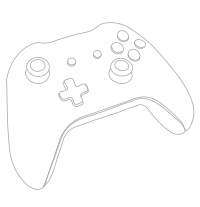
Console-Style Controls Anywhere
The Witcher 3 includes native controller support, and Chromaport forwards controller input directly to your gaming PC for a smooth remote gaming experience.
- ✓ Xbox Controllers
- ✓ Xbox Elite Controllers
- ✓ PlayStation DualSense
- ✓ PlayStation DualShock 4
- ✓ Bluetooth Controllers
- ✓ USB Gamepads
Enjoy The Witcher 3 from your couch, another room, or anywhere in the world with the controller you're already comfortable using.
Stream The Witcher 3 Over the Internet
Your gaming PC doesn't need to be on the same network as your device. Chromaport securely connects your devices and lets you stream The Witcher 3 from virtually anywhere.
Adventure Anywhere
Continue your adventure while traveling, visiting friends, or away from home.
Your World, Your Progress
Access your existing saves, settings, and installed mods instantly.
No VPN
Connect securely without complicated network configuration.
Bring The Witcher 3 With You
Turn your gaming PC into your personal Witcher 3 streaming setup. Explore the Continent with low-latency gameplay, custom touch controls, controller support, and instant access from anywhere.